
If you’ve searched “is Castle App safe” and landed on pages claiming it’s “100% safe” or “legal in every country,” treat those claims with skepticism no third-party APK can honestly promise either. This guide gives you the real answer: how to actually check the app’s safety yourself, what the legal situation genuinely looks like, and whether a VPN is worth using with it. Always download from our verified Castle APK page rather than random mirrors.
Is Castle App Safe to Use?
The honest answer is: it depends almost entirely on where you download it from, not on the app concept itself. Anyone claiming absolute, universal safety for a sideloaded app is skipping this nuance. Outdated builds carry the most risk, so check the notes on Castle APK old versions.
What “Safe” Actually Means for a Sideloaded App
Because Castle isn’t distributed through Google Play, it never goes through Google’s Play Protect review process. That doesn’t automatically make it dangerous plenty of legitimate developers distribute apps outside official stores but it does mean the usual automatic safety net isn’t there, so the responsibility shifts to you to verify the file yourself.
Genuine Risks vs. Overblown Claims
The real risk isn’t Castle App as a concept it’s the ecosystem of copycat sites and fake clones that spring up around any popular APK name. These knockoffs sometimes bundle adware or request unnecessary permissions. A genuine, cleanly-sourced copy of the app carries meaningfully lower risk than these impostors, which is why source verification matters more than any generic “is it safe” answer.
How to Scan the Castle APK File for Viruses
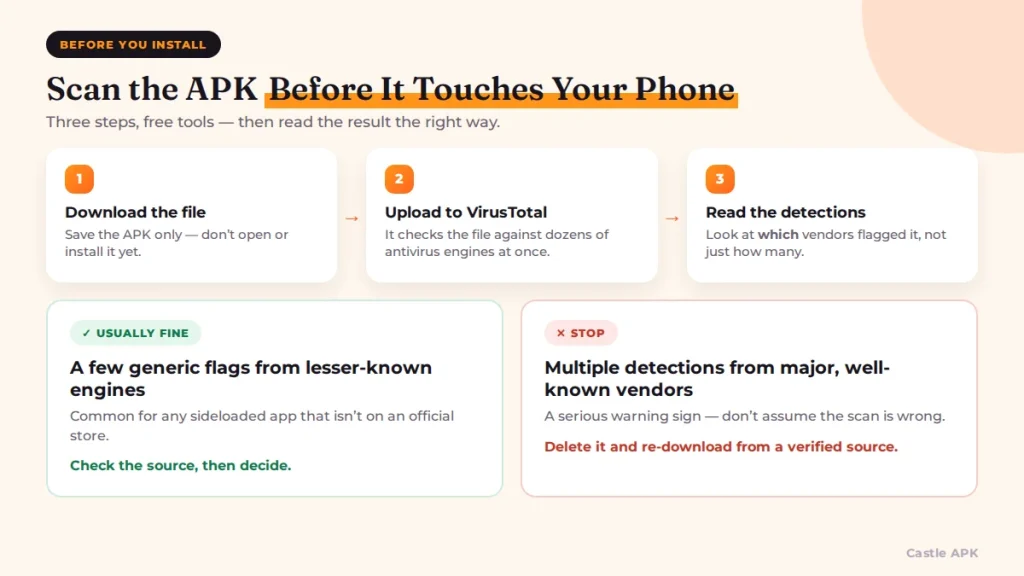
Instead of just telling you to “scan it,” here’s exactly how to do that using free, legitimate tools before you install anything.
Using VirusTotal to Check an APK
Upload the downloaded APK file to virustotal.com, which scans it against dozens of antivirus engines simultaneously and gives you a detailed breakdown of any flags. A handful of minor, generic flags from lesser-known engines isn’t unusual for any sideloaded app, but multiple detections from major, well-known antivirus vendors is a serious warning sign you shouldn’t ignore.
Using Google Play Protect
Even for apps outside the Play Store, Android’s built-in Play Protect can scan sideloaded APKs. Go to the Play Store app → your profile icon → Play Protect → Scan, and it will flag known malicious files on your device, including ones installed outside the store.
What to Do If a Scan Flags the File
If either method flags the file, don’t install it delete it, and re-download from a different, more clearly verified source instead of assuming the scan is wrong. If the same file comes back clean from your own official source, the earlier flagged version was likely a repackaged fake.
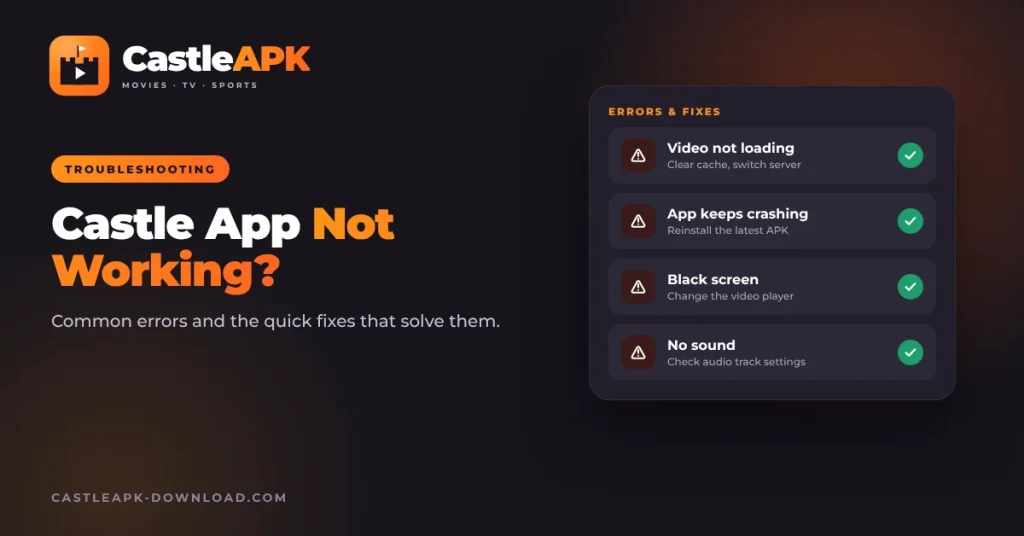
A tampered file often shows up as the errors in Castle app not working.
Is Castle App Legal?
This is where most competing guides give you a flat “yes, no legal issues anywhere,” which isn’t an accurate answer. The real picture has more nuance, and it’s worth understanding rather than dismissing.
Why Castle Isn’t on Google Play or the App Store
Both Google and Apple have strict policies against distributing apps that stream copyrighted content without proper licensing agreements. Castle’s absence from both official stores is a direct result of that policy, not a random distribution choice.
Copyright and Regional Law Considerations
Streaming copyrighted movies, shows, or live sports through an unlicensed source can conflict with copyright law, and how strictly that’s enforced varies significantly by country. Some regions focus enforcement on distributors rather than individual viewers, but this varies enough that no blanket “it’s legal everywhere” claim is honest.
Legal Risk for Users vs. Distributors
In most jurisdictions, legal risk is concentrated far more heavily on those hosting or distributing unlicensed content than on individual users streaming it but “low risk” isn’t the same as “no risk,” and this is a genuine gray area rather than a settled legal question.
Should You Use a VPN with Castle App?
A VPN isn’t mandatory to use the app, but it addresses a couple of real, specific concerns worth understanding rather than treating as a blanket requirement.
Privacy Reasons to Use a VPN
A VPN encrypts your internet traffic and masks your IP address from your internet service provider, which some users prefer simply as a general privacy habit when streaming through any unofficial app.
Accessing Region-Restricted Content
If certain content is geo-restricted in your location, a VPN can let you connect through a server in a different region to access it though this depends on the specific content source within the app.
Choosing a Trustworthy VPN
Stick to well-known, reputable VPN providers with a clear no-logs policy rather than free, unknown VPN apps a shady VPN can introduce more privacy risk than the streaming app itself, defeating the purpose of using one.
Fake iOS downloads are the biggest scam risk, as warned in Castle for iOS.
How to Verify You’re Using a Genuine, Untampered APK
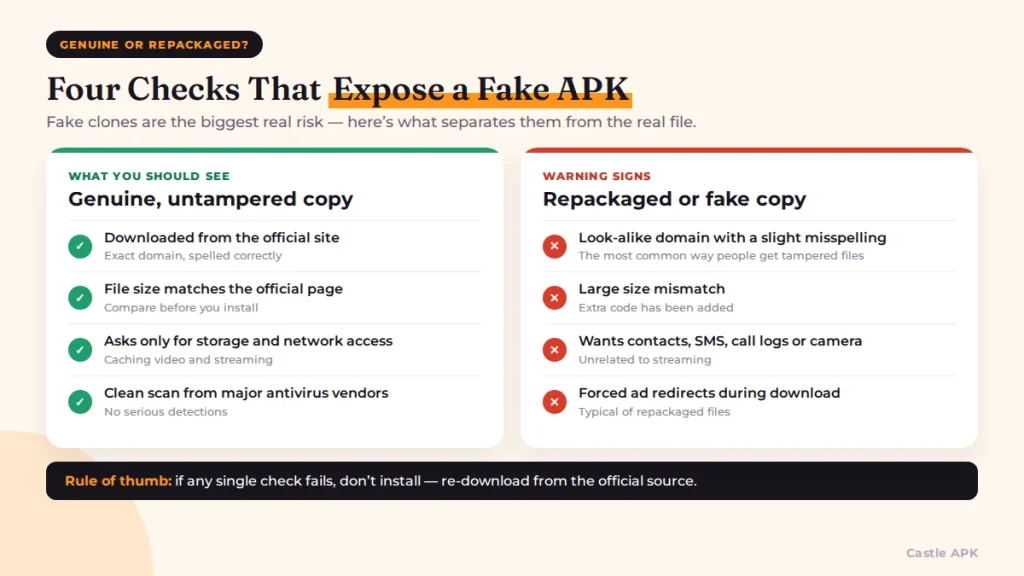
Since fake clones are the biggest real risk in this space, here’s how to confirm the file on your device is the genuine article rather than a repackaged copy.
Checking the Source Domain
Only download from the app’s official website directly, and be wary of look-alike domains with slight spelling variations this is the single most common way people end up with a tampered file.
Comparing File Size and Permissions
Compare the downloaded file’s size against what’s listed on the official page. A significant mismatch, or a version requesting unusual permissions like contacts or SMS access, is a strong sign of tampering.
Signs of a Repackaged/Fake APK
Excessive forced ad redirects during download, install prompts requesting unrelated permissions, or antivirus flags from major vendors are all signs you’re dealing with a repackaged copy rather than the genuine app.
Data Privacy – What Castle App Can Access
A legitimate copy of Castle App should only request permissions tied directly to its core function storage access for caching video and network access for streaming. Review the permission list during installation, and treat any request for contacts, call logs, camera, or SMS access as unnecessary and worth declining or avoiding entirely.
Running it on a PC has its own security notes in Castle APK for PC.
Frequently Asked Questions
Is Castle App banned in any country?
Enforcement and availability can vary by region, and access sometimes gets restricted at the ISP level in specific countries. There isn’t a single universal ban, but regional restrictions do exist and change over time.
Can antivirus apps falsely flag Castle APK?
Yes, sideloaded apps outside the Play Store sometimes trigger false positives from lesser-known antivirus engines simply because they aren’t Play Store-verified. Multiple flags from major, well-established antivirus vendors, however, should be taken seriously rather than dismissed as false positives.
Do I need a VPN to use Castle App safely?
No, a VPN isn’t required, but it adds a layer of privacy and can help with region-restricted content it’s a reasonable precaution rather than a mandatory safety requirement.
Is it illegal to stream through Castle App?
It exists in a legal gray area that varies by country. Streaming copyrighted content through unlicensed sources can conflict with copyright law, though enforcement in most places is concentrated on distributors rather than individual viewers.
Final Verdict
Castle App isn’t automatically dangerous or automatically illegal but it isn’t automatically “100% safe” or “completely legal everywhere” either, whatever some sites claim. If you download strictly from a verified official source, scan the file yourself with VirusTotal or Play Protect, and go in understanding the genuine legal gray area, you’re making an informed decision rather than relying on marketing claims which is really the honest answer to “is Castle App safe and legal.”
If you’d rather not take the risk, use one of the Castle app alternatives.


Pingback: 10 Best Castle App Alternatives for Android in 2026
Pingback: Castle App Not Working? Fix Loading & Crash Errors